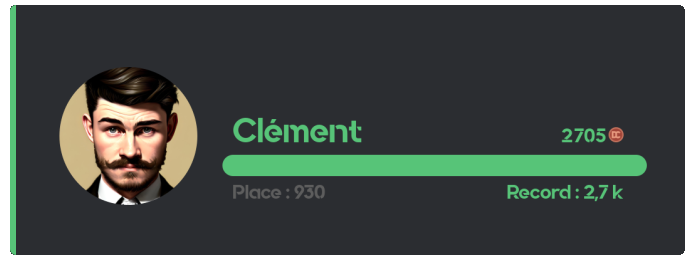
To check another member's balance, add their mention as an argument to the /money command.
Economy
Create a virtual economy on your Discord server with DraftBot! Let your members earn money, buy items in custom shops and check their wealth in the leaderboards.
Checking your money
To check your own balance, use the /money command.
Commands
Several handy commands make the economy system as smooth as possible for you.
| Command | Description |
|---|---|
| /daily | Claims your daily amount. |
| /money | Displays how much money you, or another member, have. |
| /pay | Gives some of your money to the targeted member. |
| /shop | Displays the server shop. |
| /topmoney | Displays the member leaderboard. |
| /dropmoney | Creates a message that grants an amount of money to the first person who clicks the button. |
Administrators also have the /adminmoney commands to manage members' money. See the Managing members' money section.
Shop
The shop, accessible through the /shop command, lets your members buy articles you have set up!
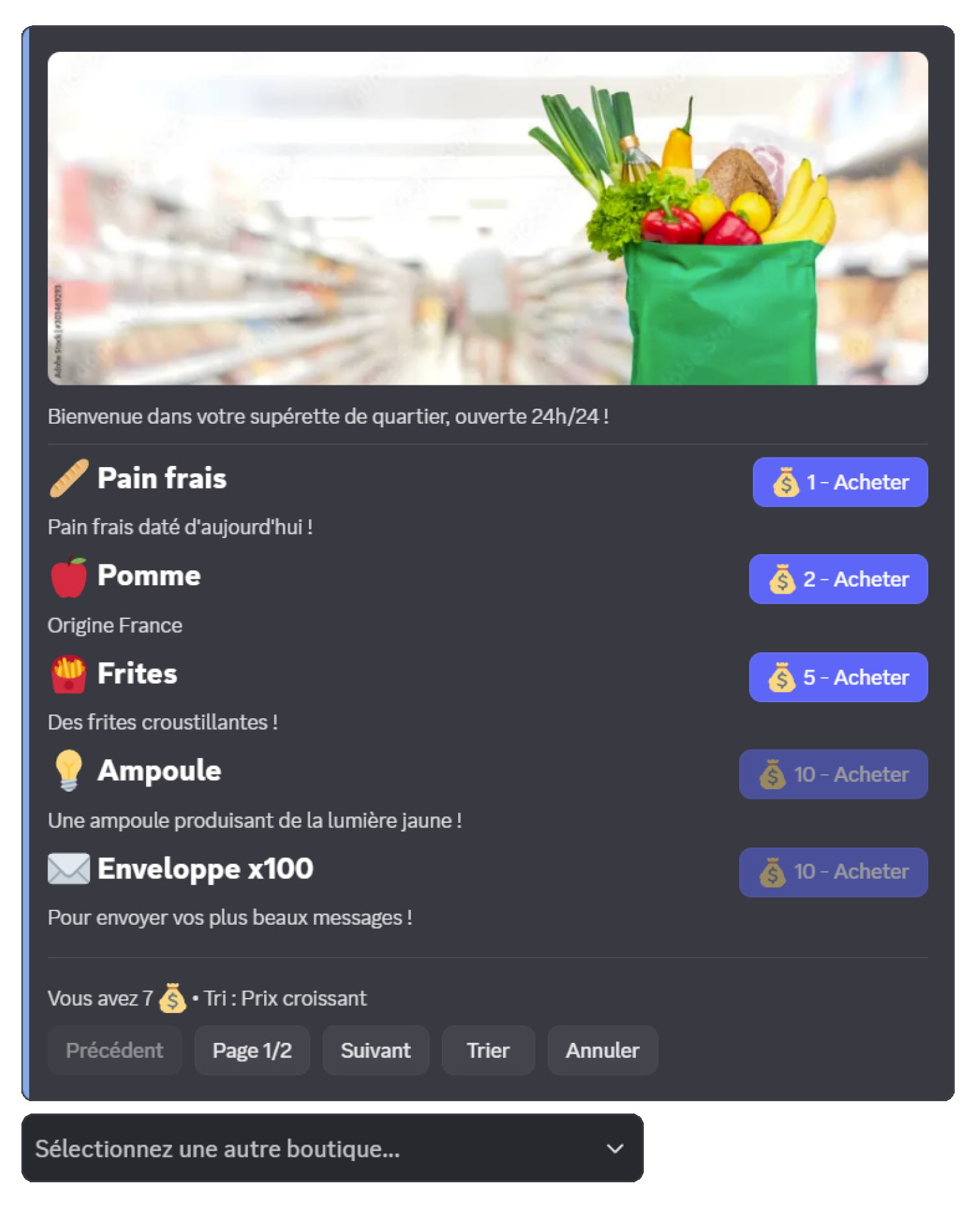
- Pagination: articles are displayed in pages of up to 5 articles
- Article sorting: 5 sorting options are available (creation date, ascending price, descending price, alphabetical name, type)
- Shop selection: if several shops exist, a selection menu is displayed automatically
- Secure purchase: confirmation is required before every purchase
| Type | Description | Example |
|---|---|---|
| Role | Grants a Discord role | "VIP" role for 5000  |
| Temporary role | Grants a role for a limited time | "Boost 7 days" role for 2000 |
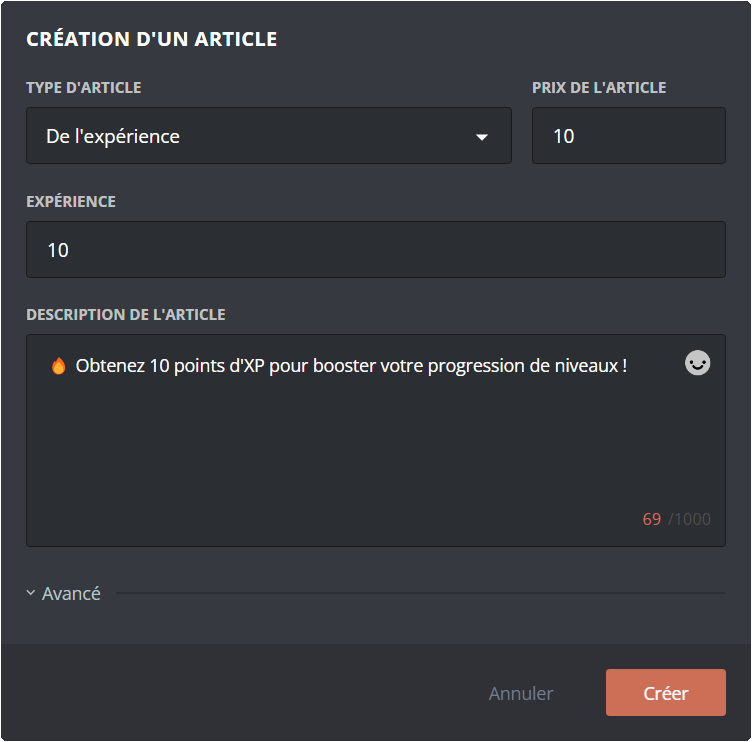
| Experience | XP points from the level system | 1000 XP for 500 |
| Inventory item | One or more inventory items | 3x "Luck potion" for 1500 |
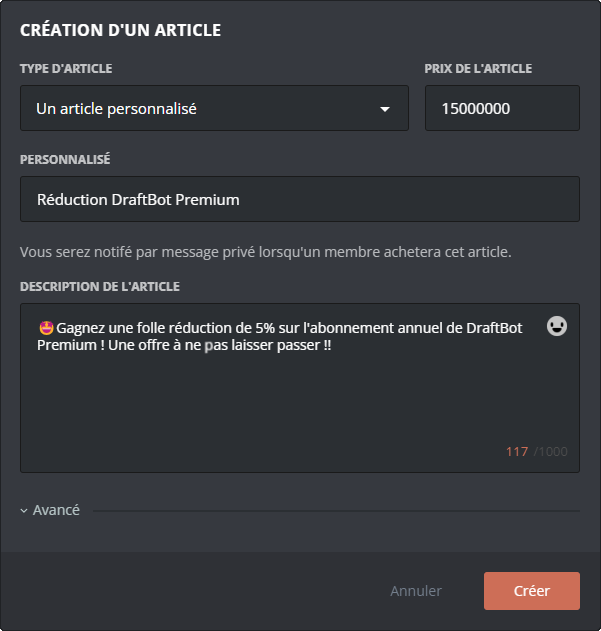
| Custom article | A reward you hand out yourself | Promo code, physical goodies, etc. |
You can have 1 shop containing up to 10 articles. Premium  servers can have 5 shops with 500 articles in each.
If you have set up several shops, your members can switch between them easily through the dropdown menu at the bottom of the interface!
Earning money
Money can be earned in various ways on your server. You have full control over how and where your members build up their wealth.
Money per message
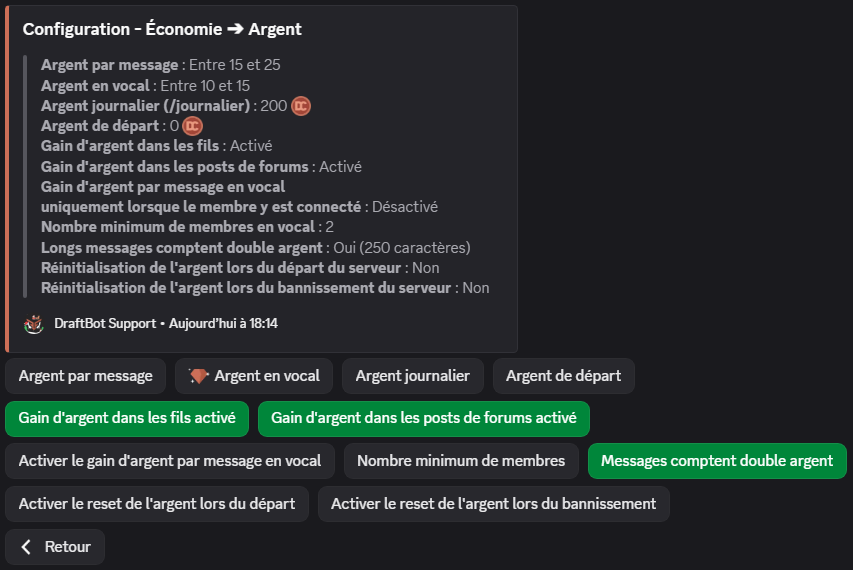
The main way to earn money is written participation on the server. Each message grants a random amount of money between two values you configure (15 to 25 by default).
A cooldown (30 seconds by default, configurable) applies between each money gain for the same member, to prevent spamming very short messages.
Premium servers can customize this interval independently of the voice one.
Money in voice
Premium servers can enable money gain based on voice activity. Each member active in voice earns a random amount of money (15 to 25 by default, configurable), at a regular interval (every 2 minutes by default, configurable).
This interval is also customizable independently of the message one.
Requirements to earn money in voice:
- The user must not have muted their microphone or their sound (deafened), whether self-deafened or server-deafened.
- The channel must not be a stage channel or set as the AFK channel (in the Discord settings).
- At least 2 human members in total (including the beneficiary) must be present and active (not muted/deafened) in the same channel.
If these conditions are no longer met, the member stops earning money until they are met again.
Other ways to earn money
Thanks to DraftBot's ecosystem, you can grant money through other features:
| Features | Description |
|---|---|
| Giveaways | Offer money as a reward |
| Starting money | Set an amount given to new members |
| Daily | Daily reward claimable through /daily |
| Birthday gifts | Offer money automatically |
| Money drop (/dropmoney) | Create interactive events where the first to click wins |
| Advent calendar | Daily rewards in December |
| Custom commands | Create all kinds of commands tied to the economy |
Threads and forums
The economy system distinguishes between two types of discussion spaces:
| Type | Description |
|---|---|
| Threads | Created in text or announcement channels. Their money gain can be enabled or disabled through the "Enable money gain in threads" option. |
| Forum posts | Messages published in forum channels. Their money gain is controlled by the "Enable money gain in forum posts" option. |
Threads and forum posts automatically inherit their parent channel's settings regarding allow/deny lists and multipliers.
Allow and deny lists
The role and channel lists let you control precisely who can earn money and where:
| Mode | Description |
|---|---|
| With | Only the listed members/channels can earn money. For roles, a member earns as soon as they hold at least one role from the list, whatever their other roles. |
| Without | The listed members/channels cannot earn money. For roles, a single forbidden role is enough to block the gain. |
Money multipliers
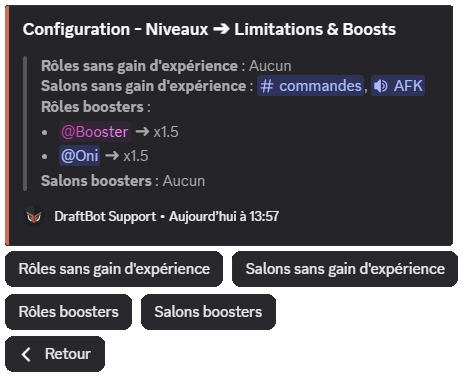
You can apply multipliers (x1.5, x2, x2.5, x3) to certain roles or channels to boost money gain.
Premium servers can use custom values ranging from x0.1 to x10.
- If a member holds several boosted roles, only the highest boost is applied.
- If a channel inherits its category's boost and has its own boost, only the channel's boost is applied.
- Role boosts and channel boosts, however, stack with each other (multiplication).
Example: a member holding an x2 role who posts in an x1.5 channel earns x3 (2 × 1.5). Conversely, if they hold two boosted roles (x2 and x1.5), only the x2 is applied.
Additional options
Other advanced options are available to fine-tune the system:
| Option | Description | |
|---|---|---|
| Money gain per message in voice channels | Determines whether text messages sent in voice channels grant money, following three modes: Everyone (any message grants money, whether or not the author is connected to voice), Only if voice-connected (money is only granted if the member is also connected to the voice channel), or Disabled (no text message in voice channels grants money). | |
| Long messages count double | Messages of 250 characters or more (threshold configurable between 100 and 1500) grant double money. | |
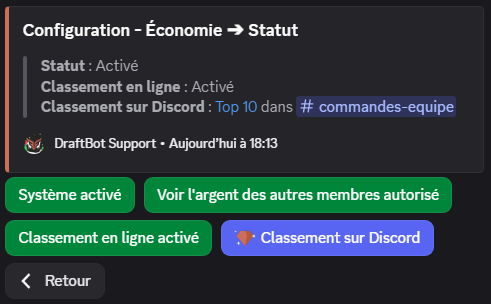
| Allow viewing other members' money | If disabled, members only see their own balance through /money and the /topmoney command becomes unavailable. In that case, the command becomes ephemeral (visible only to the user who ran it). Administrators can still check every member's money. | |
| Reset money when leaving the server | If enabled, members who leave the server lose their money for good. If they come back, they start from zero. | |
| Reset money on ban | If enabled, banned members lose their money for good. | |
| Starting money | Set an amount of money given automatically to new members joining the server. | |
| Daily money | Configure the amount claimable every day through the /daily command. | |
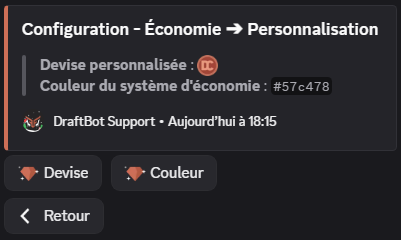
| Currency customization | Change the emoji of your currency. | |
| Color customization | Change the color of economy embeds and cards. | |
Features marked with the symbol are reserved for premium servers.
Leaderboard
You can display the member leaderboard, from the wealthiest to the poorest, in three ways:
The /topmoney command
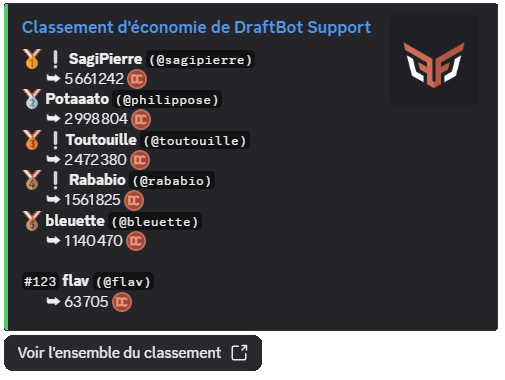
To display a specific number of rows (only the top 3, for instance), pass that number as an argument: /topmoney number:3.
If the "Allow viewing other members' money" option is disabled, members can only check their own balance with /money, and the /topmoney command becomes unavailable to non-administrators. To disable the online leaderboard as well, see the Online leaderboard section below.
Online leaderboard
You can open it from the "View the whole leaderboard" button of the /topmoney command.
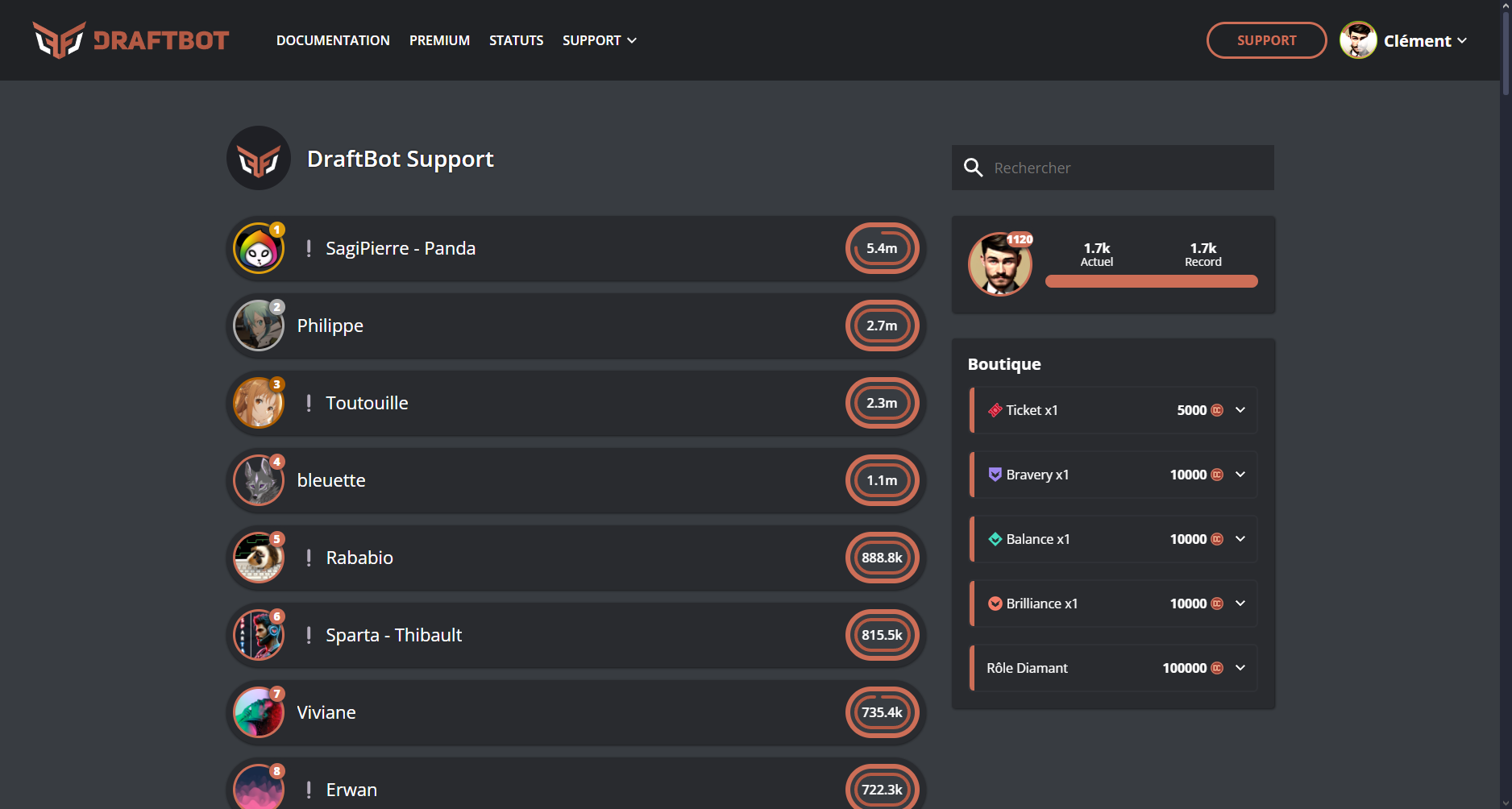
If you are a server administrator, you can also reach it from the panel, in the Economy module, through the "Access to the leaderboard" button.
If you want to disable the online leaderboard, an option is provided for that on the panel or through /config.
Real-time leaderboard
Premium servers can set up an automatic member leaderboard in a dedicated channel.
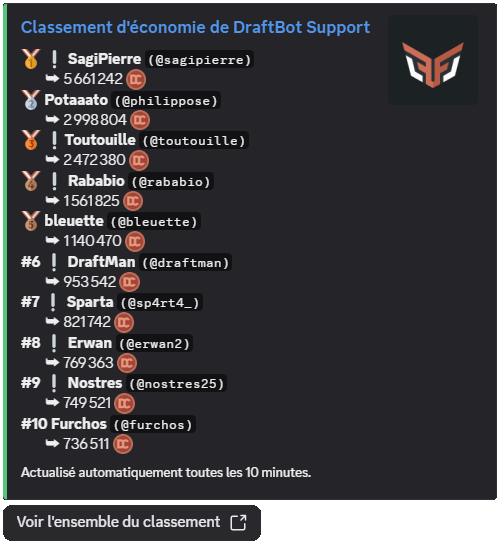
The message displays up to 25 members and is updated automatically every 10 minutes, only if the leaderboard has changed.
Configuring the economy system
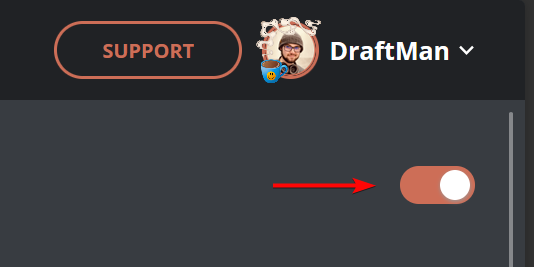
To enable the module, the first step is to click the button in the top right corner:
Every feature then appears:
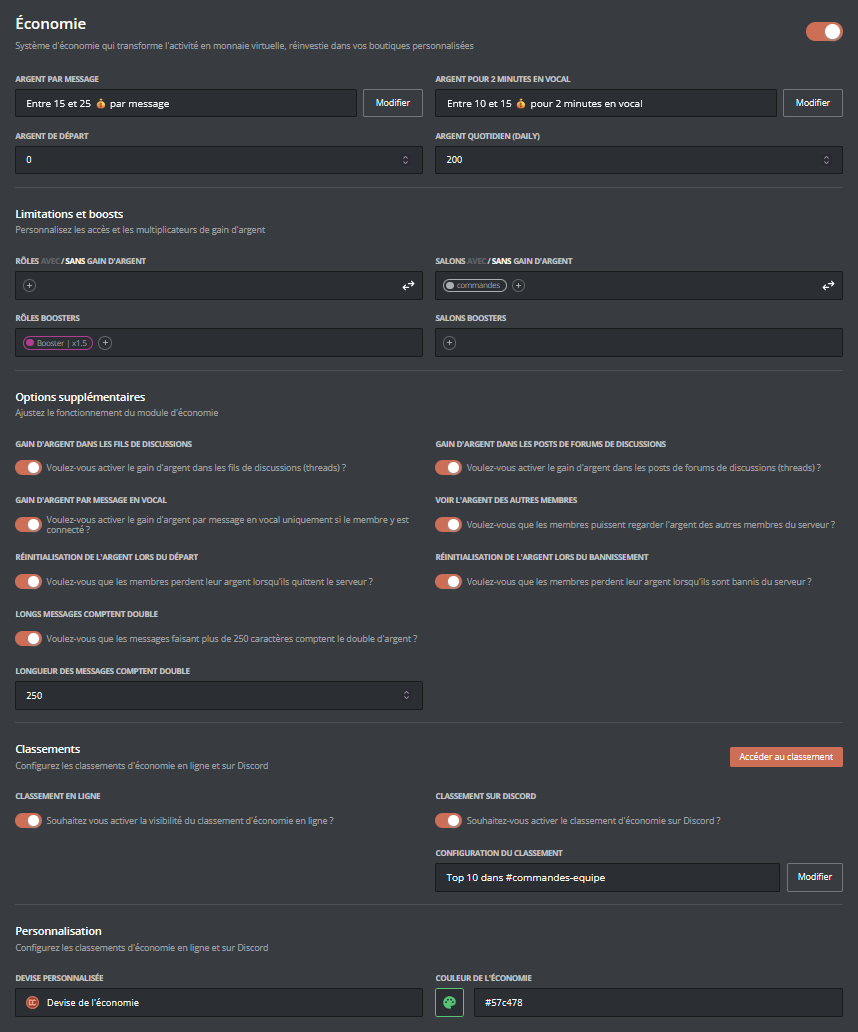
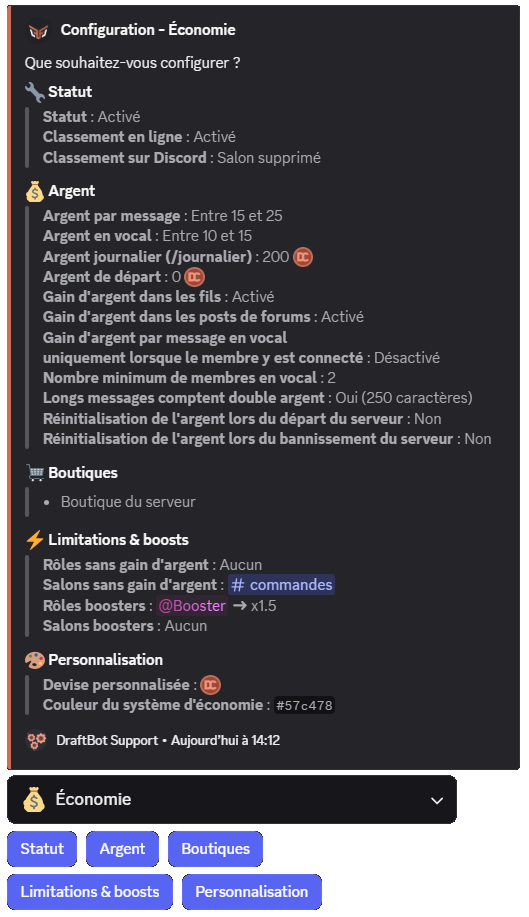
Once your changes are done, remember to save them with the "Save" button at the bottom of the page!
Configuring shops
To create a shop from the panel, click the "Create shop" button in the "Shop configuration" section:

A window opens to configure your new shop:
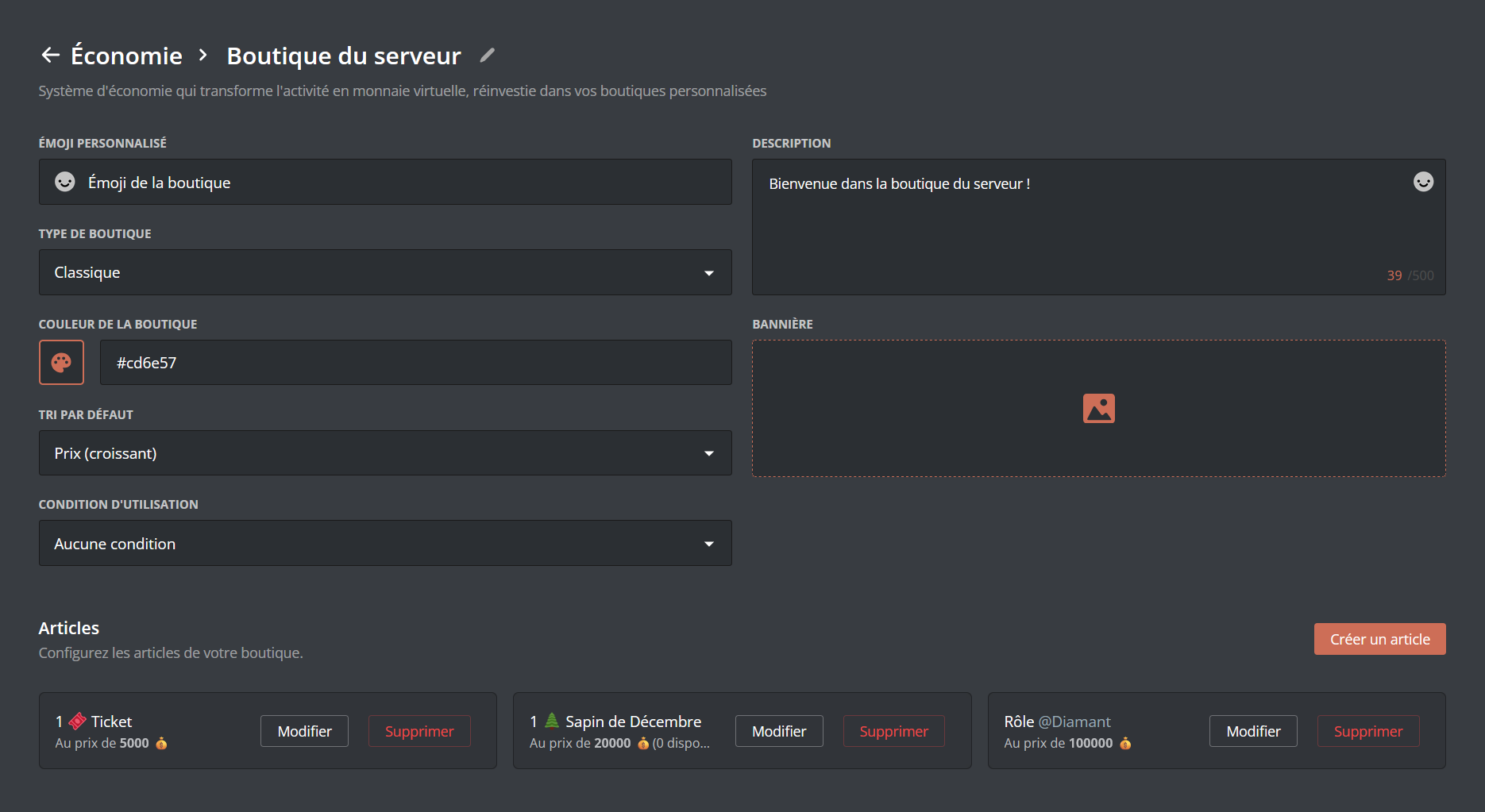
Shop settings:
- Name: the name of your shop (50 characters maximum)
- Description: a description of the shop (500 characters maximum)
- Style: choose between Classic (a neutral look, suitable for any theme) or Black Market (a dark styling with a mysterious tone, ideal for roleplay servers or rare item shops)
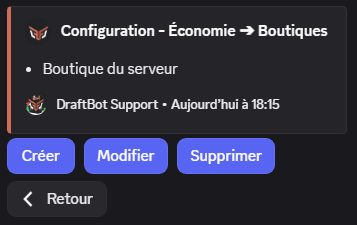
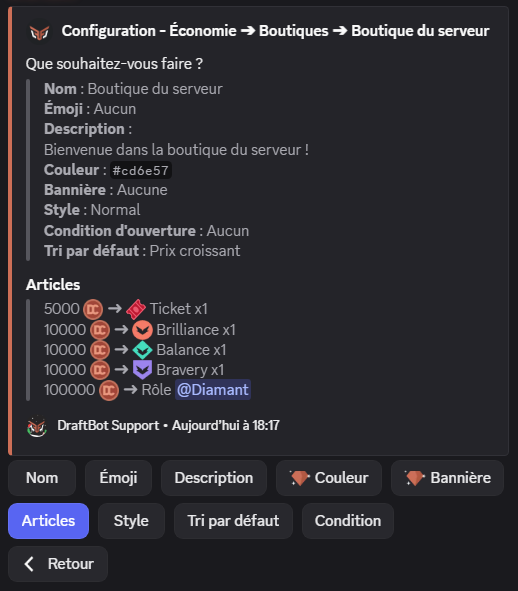
If your server already has shops, they appear at the bottom of the screen, where you can edit or delete them.
Premium servers can create up to 5 shops.
Customizing your shop
Once your shop is created, you can customize it further:
| Setting | Description | |
|---|---|---|
| Emoji | Add an emoji displayed next to the shop's name | |
| Description | Choose a description to build your shop's story | |
| Style | Choose between Classic or Black Market (see the description above) | |
| Default sorting | Set the default sort order of the articles | |
| Access conditions | Restrict access to the shop: required or forbidden roles, minimum level, etc. | |
| Color | Customize the color of the shop interface | |
| Banner | Add a banner image at the top of the shop (800x137px recommended) (10MB max) | |
Features marked with the symbol are reserved for premium servers.
Creating a shop article
To add articles to your shop:
- Click the "Edit" button of the shop concerned
- Click "Create an article"
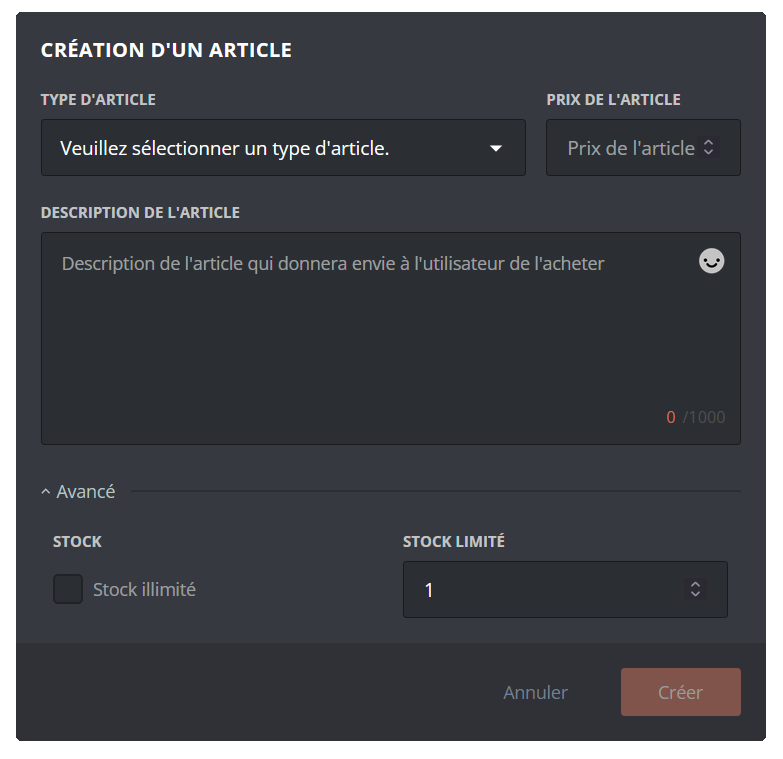
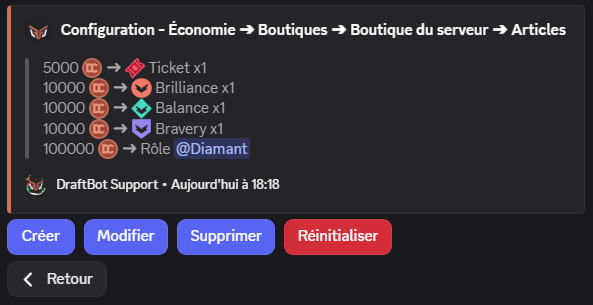
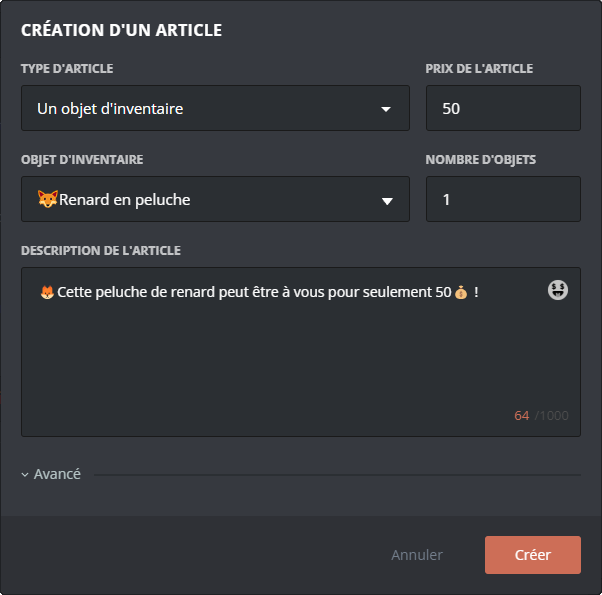
Information common to every article type:
- Type: the article type (role, temporary role, experience, item, custom)
- Price: the cost of the article in server money
- Description: a description of the article (1000 characters maximum)
- Stock: quantity available (see the Stock of an article section)
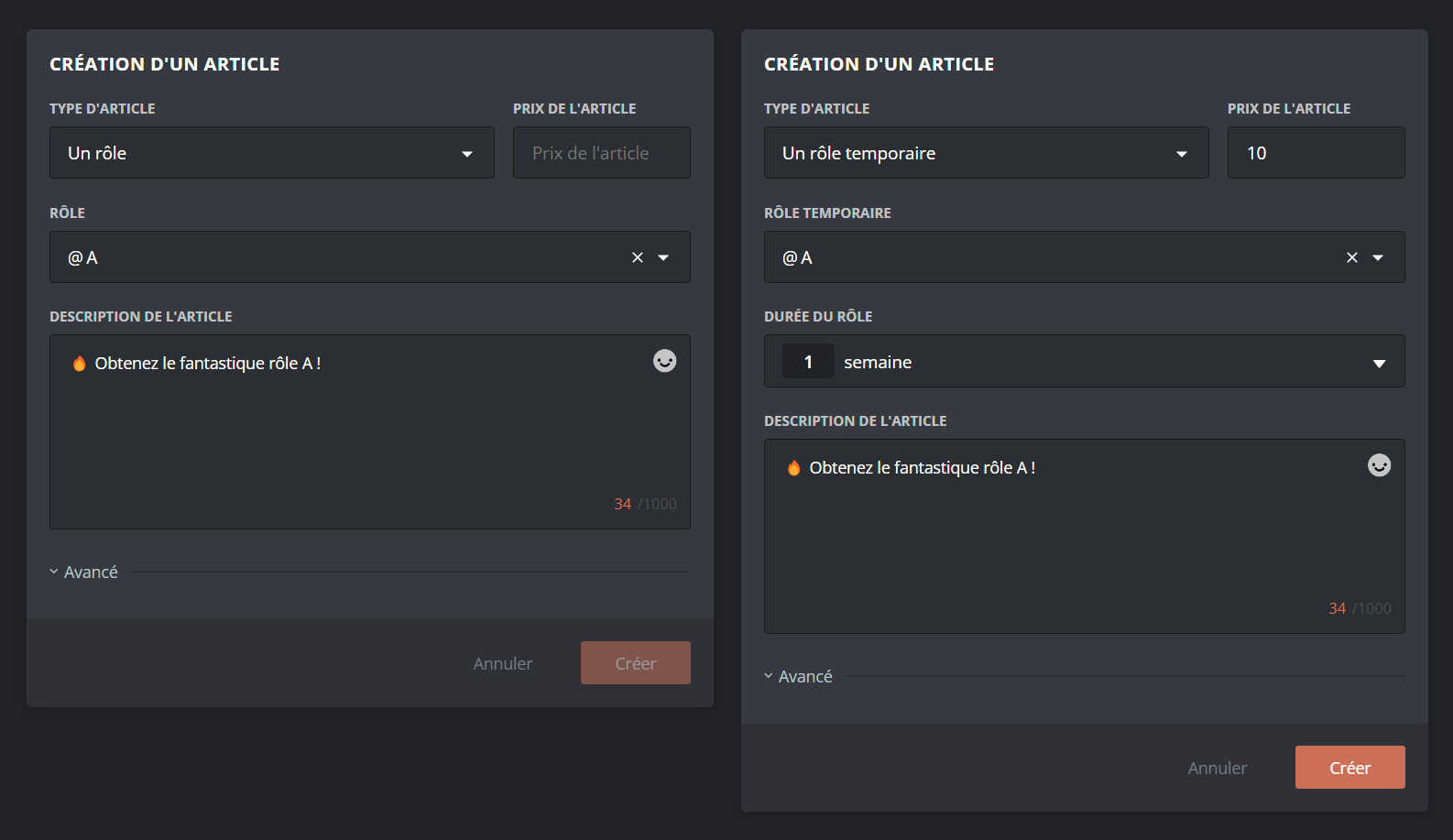
You can let your members obtain roles (temporary or permanent) in exchange for currency. To add a role to the shop, select the article type "role" or "temporary role" in the article creation menu.
Then choose:
- The price of the article
- The role to assign
- The description of the article
- The duration of the role (for a temporary role)
The selected role must have been created on your server beforehand, and must be accessible to DraftBot (so it must not sit higher than DraftBot's highest role).
If a member tries to buy a role they already have, the purchase is refused with an explicit error message.
Stock of an article
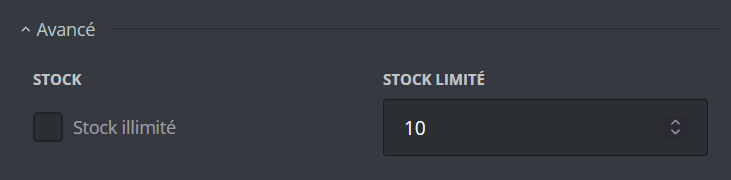
An article has an unlimited quantity by default. By expanding the "Advanced" menu, premium servers can set a limited stock for each article. Once it runs out, the article can no longer be bought until you restock it manually.
Stock is managed article by article. You can have some articles with unlimited stock and others with a limited quantity in the same shop.
Managing members' money
As an administrator, you have several commands to manage members' money:
| Command | Description |
|---|---|
| /dropmoney | Creates a message with a button: the first member to click wins the money. You can set a time limit (10 minutes maximum). |
| /adminmoney add member | Adds money to a specific member. |
| /adminmoney add server | Adds money to every member of the server (asynchronous operation). |
| /adminmoney add role | Adds money to every member holding a specific role (asynchronous operation). |
| /adminmoney remove member | Removes money from a member. |
| /adminmoney remove server | Removes money from every member of the server (asynchronous operation). |
| /adminmoney remove role | Removes money from every member holding a specific role (asynchronous operation). |
| /adminmoney set | Sets a member's money to an exact amount (replaces their current money). |
| /adminmoney transfer | Transfers money from one member to another (the giver loses the transferred money). |
| /adminmoney reset server | Resets all the money on the server. This action cannot be undone! |
Admin commands can only be used by members of your server holding the administrator permission.
Bulk operations: commands targeting "every member" or "a role" run asynchronously. A progress message is displayed and updates automatically. You can cancel the operation at any time with the button provided.

Migrating from UnbelievaBoat
If you were already using an economy system through UnbelievaBoat, you can import your members' money into DraftBot's economy system!
The feature is available through the /config command, in the "Economy" tab.
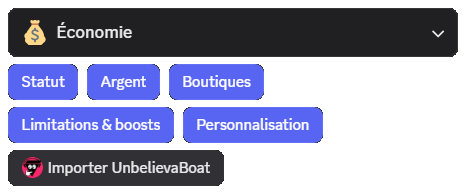
After clicking Import UnbelievaBoat and confirming that you want to proceed with the import, DraftBot automatically retrieves all of the members' money information. The imported money replaces the members' current money in DraftBot.
Make sure UnbelievaBoat is present on your server at the time of the import!
The import can be run again later if needed, but it will overwrite the DraftBot balances again with the UnbelievaBoat values of the moment.

