You can choose the difficulty mode: "Easy", "Normal" or "Hard". Depending on your choice, DraftBot will be harder to beat.
Game & fun commands
Discover every command available to have fun with the members of your server.
Games
/bingo
/chifumi
The /chifumi command gives you access to this two-player game. It is an adaptation of the classic Rock-Paper-Scissors: a head-to-head where each player picks one of these three moves.
How the game works:
- Rock beats scissors (by blunting them).
- Scissors beat paper (by cutting it).
- Paper beats rock (by wrapping it).
You can play this game with the person of your choice, at random, or against DraftBot.
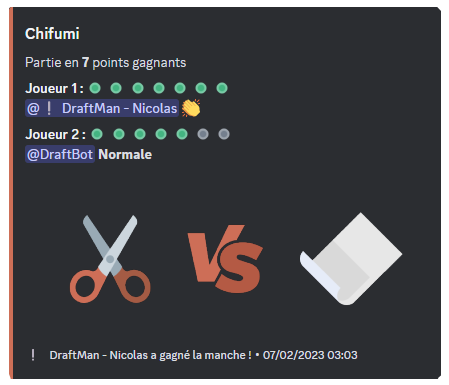
You can also choose how many rounds you want (1 to 7 rounds).
/tictactoe
The /tictactoe command gives you access to this two-player game. It is a thinking game where you have to line up 3 identical symbols before your opponent, horizontally, vertically or diagonally. Each player has their own symbol, a cross for one, a circle for the other.
You can play this game with the person of your choice, at random, or against DraftBot.
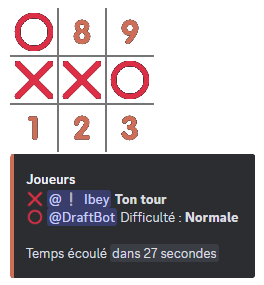
You can choose the difficulty mode: "Easy", "Normal" or "Hard". Depending on your choice, DraftBot will be harder to beat.
/hangman
The /hangman command gives you access to this single-player thinking game. The goal is to guess which letters make up the secret word.
On every mistake, a little figure is drawn step by step, and if it is completed, you are hanged and you have lost.
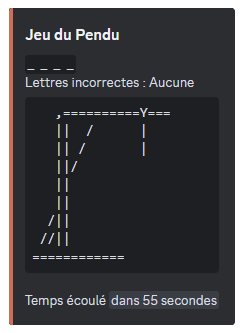
Even though the game is for a single player, other members can help you find the secret word.
/connect4
The /connect4 command gives you access to this two-player game. It is a strategy game where you have to line up 4 tokens in a row of the same color on a grid of 6 rows and 7 columns. Taking turns, both players drop a token in the column of their choice.
You can play this game with the member of your choice, at random, or against DraftBot.
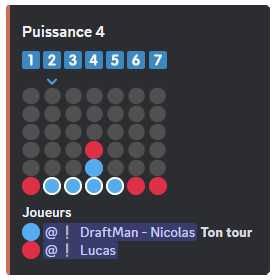
You can choose the difficulty mode: "Easy", "Normal" or "Hard". Depending on your choice, DraftBot will be harder to beat.
/minesweeper
The /minesweeper command gives you access to this single-player thinking game. The goal is to locate mines hidden in a grid representing a virtual minefield.
The game gives clues based on the number of mines present in the neighbouring cells.
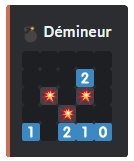
You can choose the difficulty mode: "Easy", "Normal" or "Hard". Depending on your choice, the grid gets bigger.
/colormind
The /colormind command gives you access to this logic game for a single player. It is the equivalent of Mastermind: the goal is to find the right color combination.
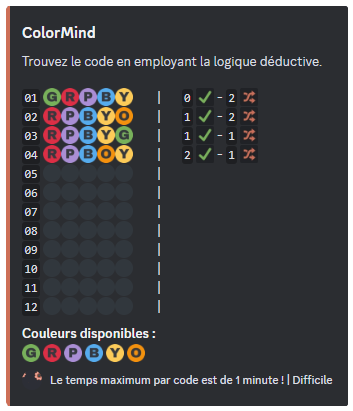
You can choose the difficulty mode: "Easy", "Normal" or "Hard". Depending on your choice, the number of colors to find increases.
The same color may appear several times in a combination.
Utilities
/survey
There are three commands available with /survey:
- /survey create ➜ Create and start a survey.
- /survey results ➜ See the results of a survey.
- /survey finish ➜ End a survey.
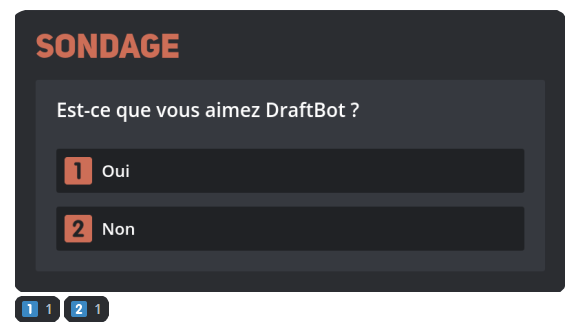
When creating the survey with the /survey create command, you have to set the question of the survey as well as the different answers (10 answers max). To enter the answers, you have to put them between quotation marks if they contain spaces.
You can, if you want, set the duration of the survey and choose the channel where it is started.

/event
There are three commands available with /event:
- /event create ➜ Create and start an event.
- /event restart ➜ Restart an event.
- /event end ➜ End an event.
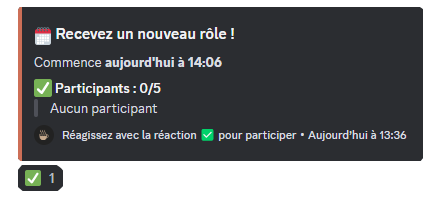
With the /event create command, you need to set a name for your event, the maximum number of participants, as well as the time at which the event starts.
To take part, members have to click the reaction that appears.
You can, if you want, set a role that your members receive at the end of the event to prove they took part, and choose the channel where the event is started.
/couple
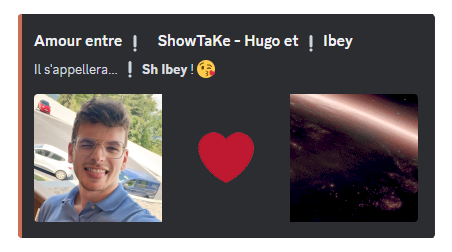
The /couple command simply lets you create a couple on your server. DraftBot retrieves the avatars of the chosen "Romeo" and "Juliet", and at the same time gives the couple a name.
/joke
The /joke command gives you access to various jokes provided by Blagues API. The punchlines are hidden; clicking on them reveals them.
Three subcommands are available:
- /joke random ➜ Display a random joke.
- /joke type ➜ Display a joke of a specific type.
- /joke favorites ➜ Display your favourite jokes.
The different joke types are: General, Dark humor, Developer, 18+, Redneck, Blondes.
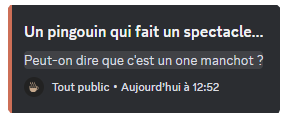
Every joke displayed has a  button to add it to your favourites. Click the
  button again to remove it. You can save up to 200 favourite jokes and view them at any time through /joke favorites.
The Dark humor and 18+ types are disabled by default. Members with the Administrator permission can enable or disable each joke type on their server through a button available from any of the joke commands.
When a joke type is disabled by the server administrators, the favourite jokes of that type are automatically hidden in /joke favorites.
The jokes come from the community project Blagues API, where jokes are added automatically from community votes. Feel free to contribute your own jokes!
/rolldice
The /rolldice command lets you roll dice. Give the number of dice (X) and the number of sides (Y), separated by the letter "d" (e.g. XdY ➜ 1d10).
- You can add a modifier (Z) (
+,-orx) (e.g. 1d10 +5). - You can add options:
-Hto keep only the highest or-Lfor the lowest (e.g. 3d10+5 -L).
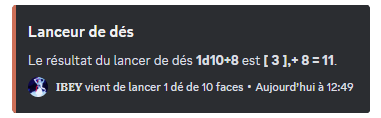
The number of dice cannot exceed 100.
/tv
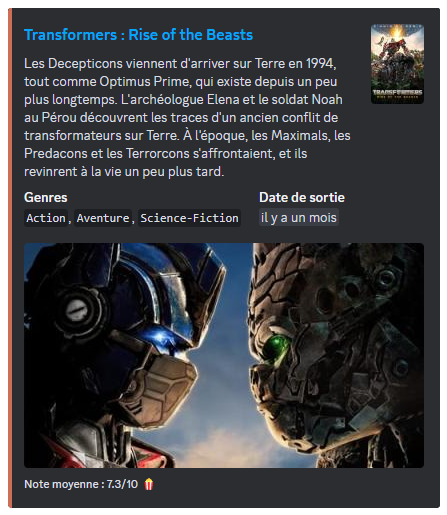
The /tv command gives you information about a film or a series available on The Movie Database (TMDB). All you have to do is give the name of the film or series you are looking for after the command.
You will receive the following information:
- The title of the film or series.
- The synopsis.
- The genre(s).
- The release date.
- The average rating given by users.
/interact
The /interact command lets you react with various reactions handled by DraftBot.


