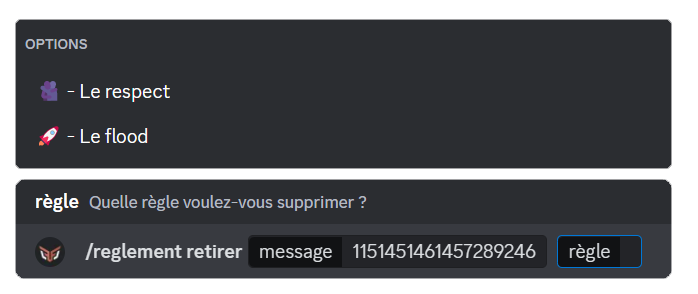
The "rules message" field expects the ID of the rules message you have just created. To find out how to obtain it, see the Finding an ID page.
Rules
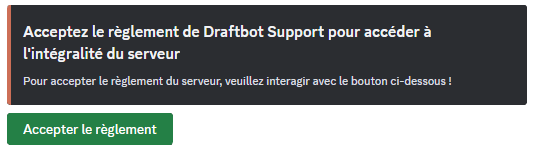
The rules system with validation grants a role to newcomers once they have read and accepted the server rules.
Creating the rules message
To begin, run the /rules create command. DraftBot will then let you add the role you want to assign to members, as well as lock that role to stop them from removing it themselves.
Members receive this role once they have read the rules and clicked the Accept the rules button.
Adding rules
Now that the rules message has been created, it does not contain any rule yet: it is up to you to add them one by one.
To do so, use the /rules add command. DraftBot will ask you for three pieces of information: the rules message, the title of your rule and its description.
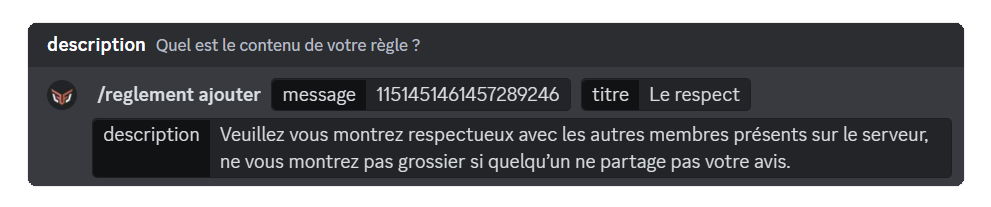
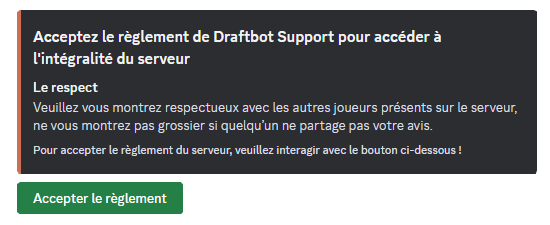
Once a rule has been added, DraftBot offers two choices: add another rule or come back to it later.
The title is limited to 256 characters, while the description is limited to 1024 characters.
Editing a rule
You can edit your rules at any time, whether to make a correction or to make them look the way you want. You will need the /rules edit command.
The procedure is not very different from the /rules add command, except that one extra field appears: rule.
This field lets you select the rule you want to edit.
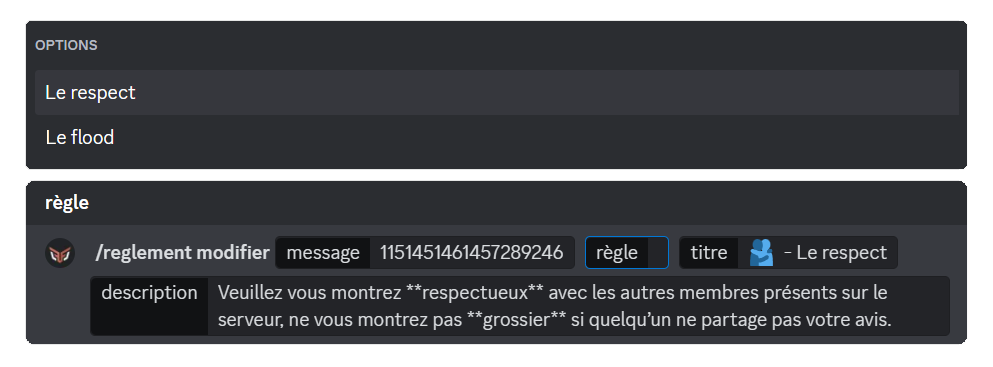
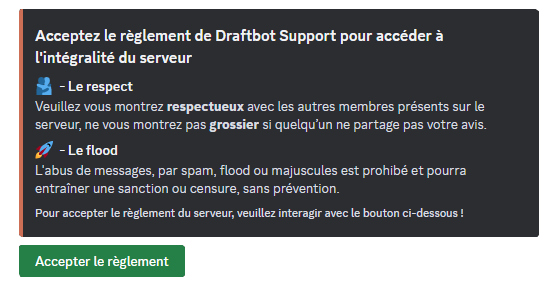
You can edit the rules from the panel in the Messages section. The embed is named "Server rules".

Removing a rule
If you are not happy with a rule and want to remove it, you can use the /rules remove command. You only need to obtain the ID of the rules message and select the rule.