The reason variable, although optional, can be made mandatory by the server managers. It is best to always fill it in.
Tickets
Give your members the ability to create tickets so they can have a private conversation with your server's team.
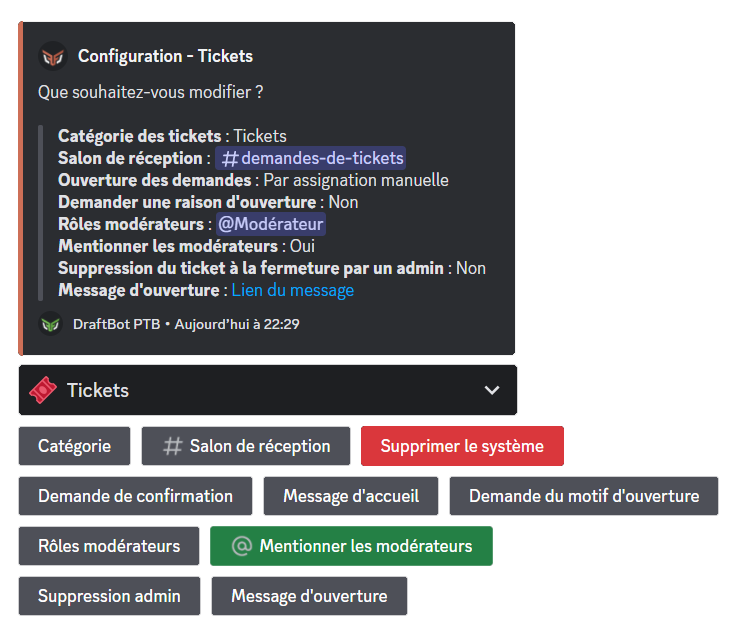
Creating a ticket
You can create or request the creation of a ticket using the /ticket command.
Ticket moderation
Administrators and ticket moderators have the following commands, giving them additional control over ticket access:
- /ticketmod open ➜ Opens a ticket for a member.
- /ticketmod add ➜ Grants a third member access to the ticket.
- /ticketmod remove ➜ Removes a member's access to the ticket.
Reception channel
The ticket reception channel receives members' ticket requests, whether they are made through the /ticket command or through an opening message.
Receiving ticket requests in this channel requires opening requests to be set to Manual mode.
Configuration
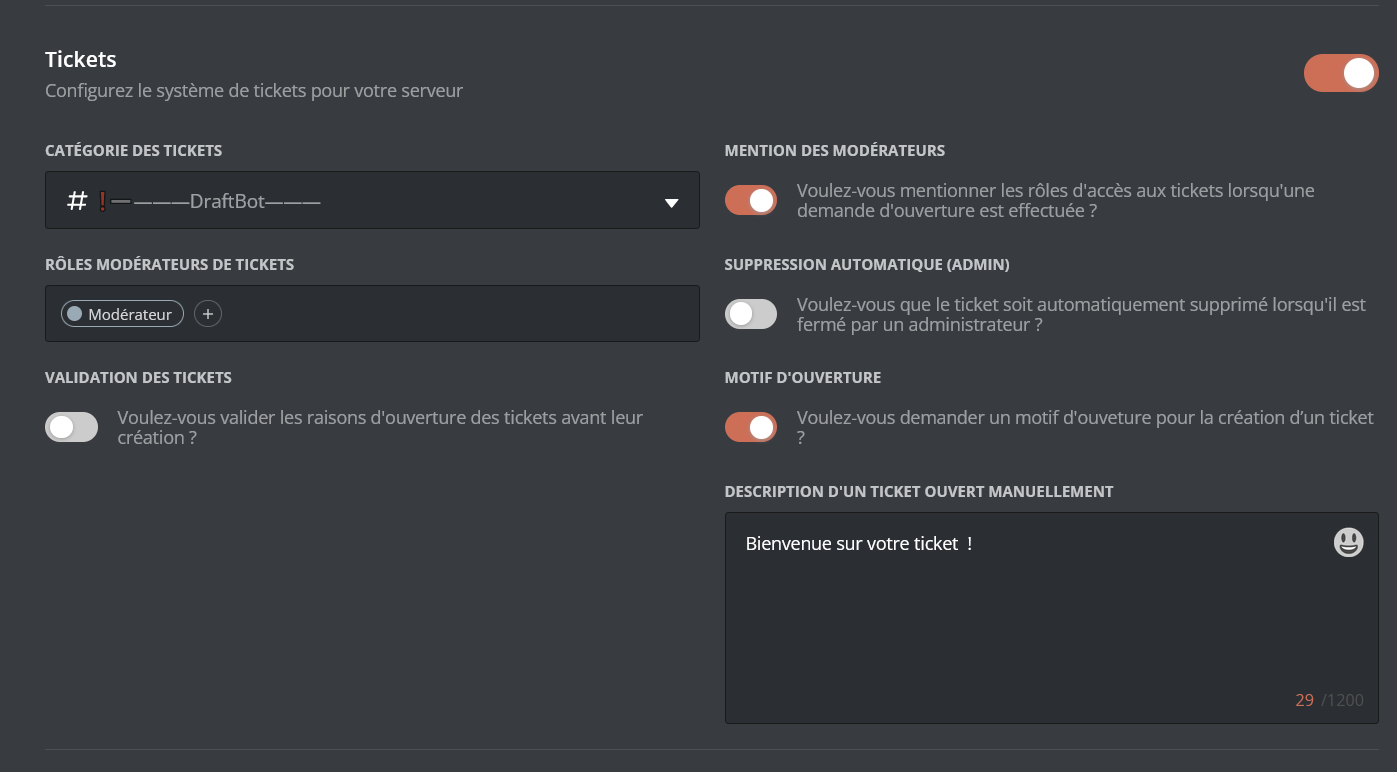
On the panel, in the Community category, the Tickets part offers the same configuration options as the slash commands on Discord. The opening message will be configurable on the panel soon.
Once your changes are done, remember to save them with the "Save" button at the bottom of the page.
- Ticket category ➜ Sets the category tickets are created in. The category has to have been created beforehand. Remember to refresh the panel page if you have created a category in the meantime.
- Mention moderators ➜ Enables the automatic mention of moderators when a ticket is opened.
- Ticket moderator roles ➜ Adds or removes roles without the Administrator permission that will have access to tickets. Several roles can be added.
- Auto delete (admin) ➜ When this option is enabled, tickets are deleted straight away if an administrator closes a ticket.
- Ticket validation ➜ When validation is enabled, ticket requests are forwarded to the reception channel and have to be accepted or refused by the ticket moderators or administrators.
- Opening reason ➜ Sets whether members have to give a reason for opening the ticket when using /ticket. Enabling it is recommended to avoid ticket-creation abuse or requests with no particular reason.
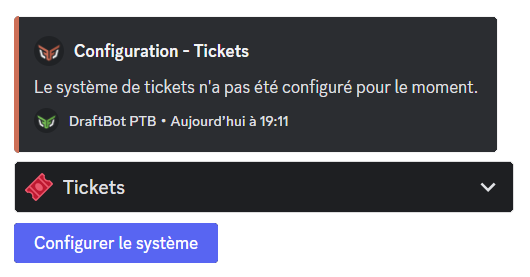
Opening message
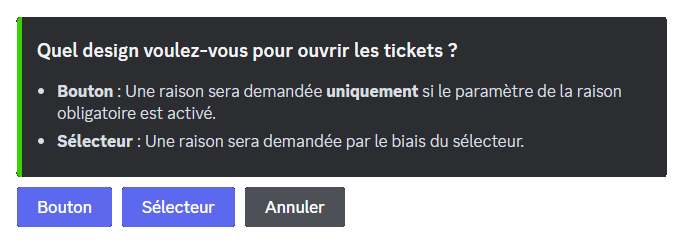
The opening message lets members select a predefined opening reason from a button or a selector to request a ticket. It can be used as an alternative or a complement to the /ticket command. When configuring it for the first time, through the /config command in the Tickets section and then clicking "Opening message", you have to select the type of opening message you want:
- Button ➜ This mode lets you configure a single opening reason, displayed as the button's text.
- Selector ➜ This mode lets you add several ticket opening reasons. By following the bot's instructions and questions, you can customize the name of the reasons, their associated emojis and descriptions.
You can use a message created beforehand in the Embed Creator on the panel by clicking "Existing message" on the question asked after selecting the type of opening message, to customize the presentation embed however you like, or through the /say command.
