The bot only reacts when the word is at the beginning of the sentence.
Word reactions
Have DraftBot react to your messages so you never feel alone again.
What is it for?
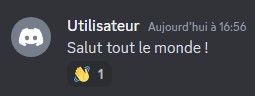
The word reactions system lets DraftBot react to messages beginning with a predefined word, using one or more chosen reactions. Here is a preview of the message:
Configuration
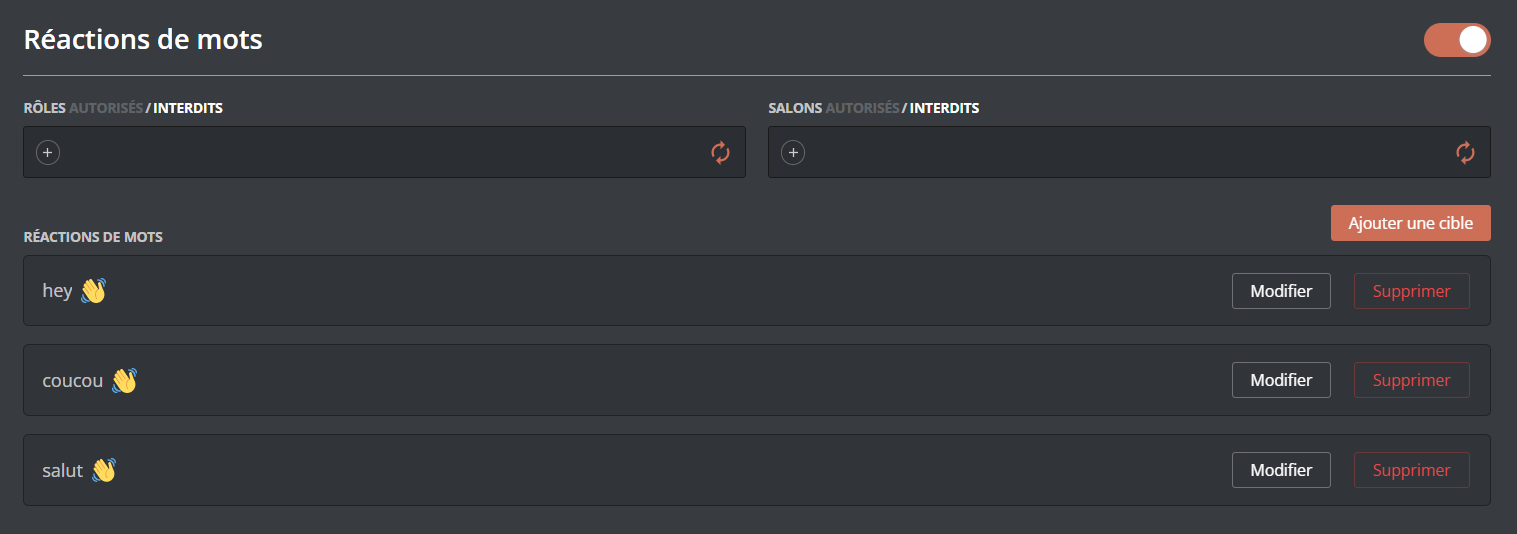
Enabling / disabling the system
You can enable or disable the word reactions system with a button in the top right corner of the page.
Adding a word reaction
You can add a word reaction by putting an emoji in the emoji field and the word concerned in the "Please enter a sentence beginning" field. You can then "Add" the word reaction.
You cannot add an emoji coming from another server.
You can set up a reaction for 10 words. Premium  servers can have up to 5 reactions for the same word, and have no limit on the number of words.
Editing a word reaction
To edit a word reaction, click the "Edit" button of the word reaction concerned. The fields at the top are pre-filled: you can change the emoji and the word there. Click "Replace" for the change to be applied.
Restricting reactions

You can also choose to let only certain roles trigger the bot's reactions.
Deleting a word reaction
To delete a word reaction, click the "Delete" button of the word reaction concerned.
Deletion cannot be undone, but a confirmation is requested.
The message in question: "Warning, you have unsaved changes!".
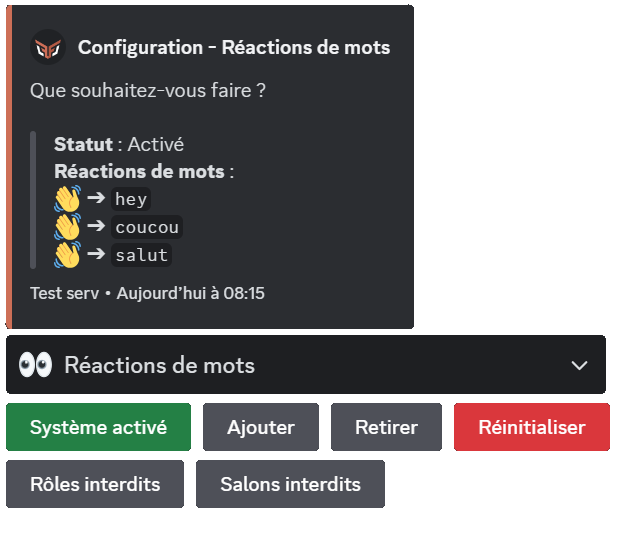
 Word reactions" system, then click "Enable the system".
 " reaction.


