For more customization, expand the "Advanced" menu!
Custom commands
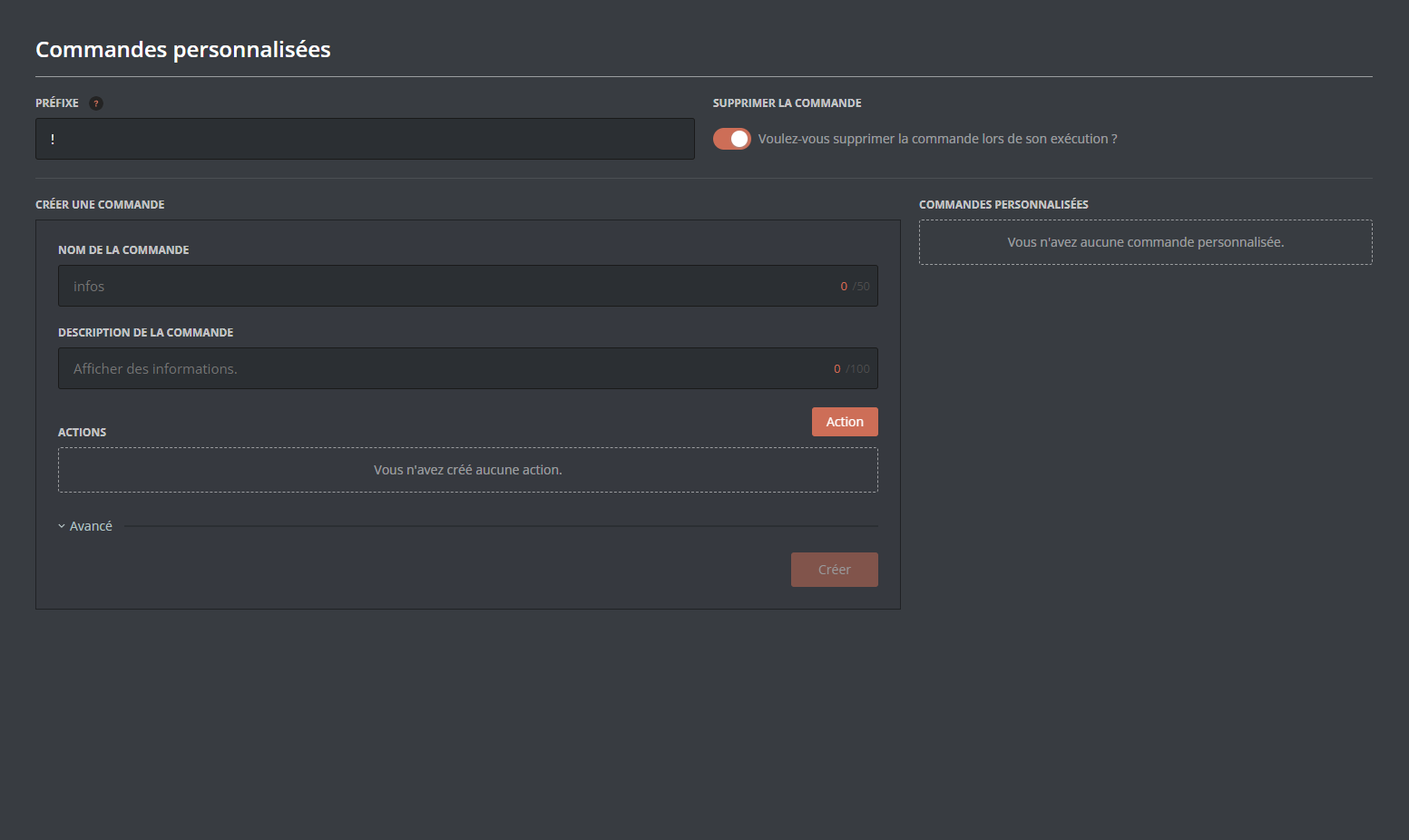
With DraftBot, you can create your own commands!
Configuration
Fill in the various fields (name, description, actions, etc.), click the "Create" button, and your custom command is ready to use straight away!
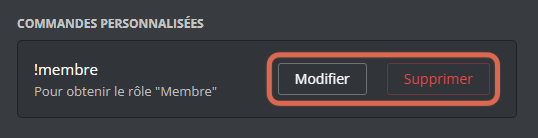
Need to edit or delete a command?
No problem! Click "Edit" or "Delete":
Actions
Actions are the heart of your custom command, and they come in 4 types:
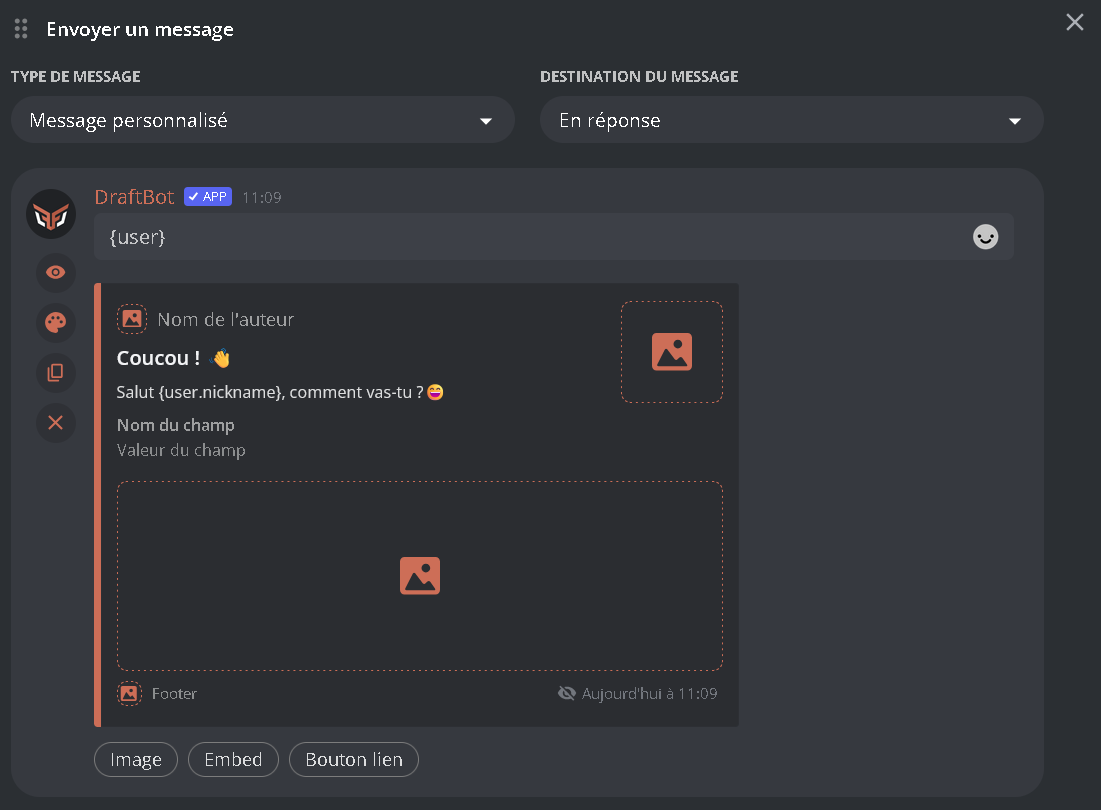
Send a message
When the command is run, DraftBot sends a message.
The message can contain markdown and variables. If you configure it from the Panel, you can even add embeds to it!
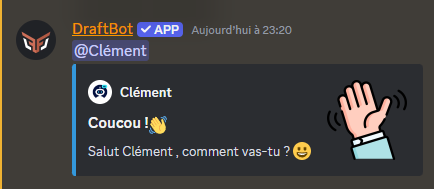
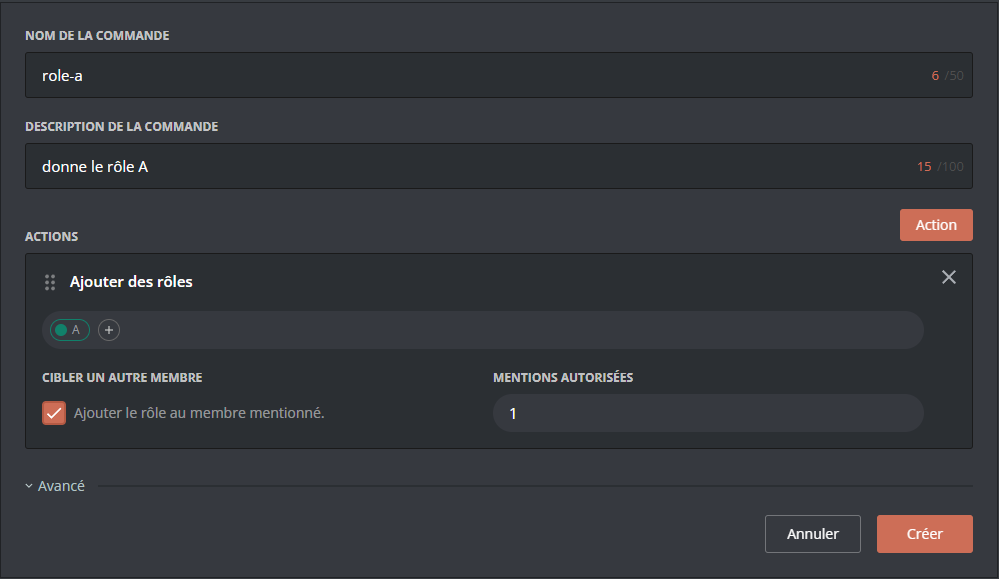
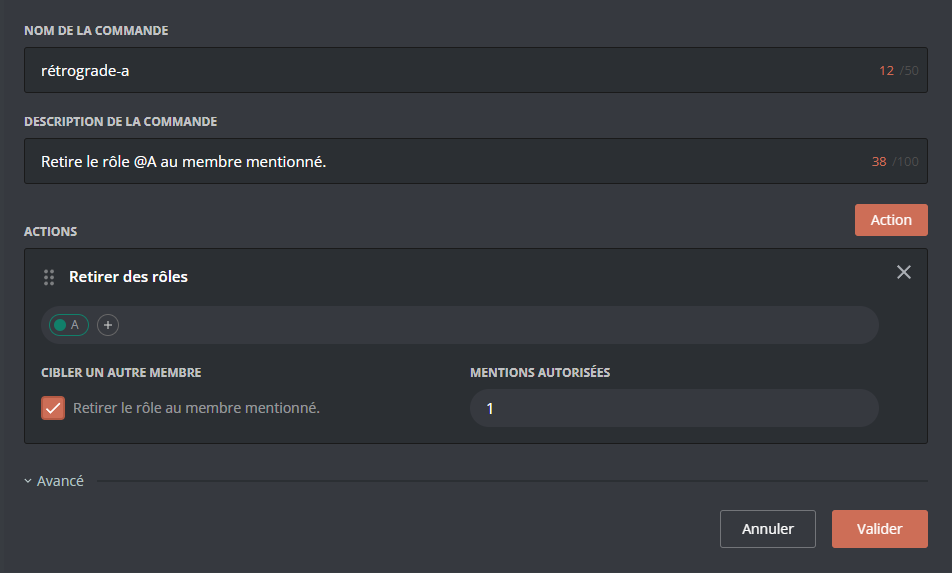
 For clarity, feel free to combine this action with a Send a message action, so that DraftBot can tell the member they have received a new role!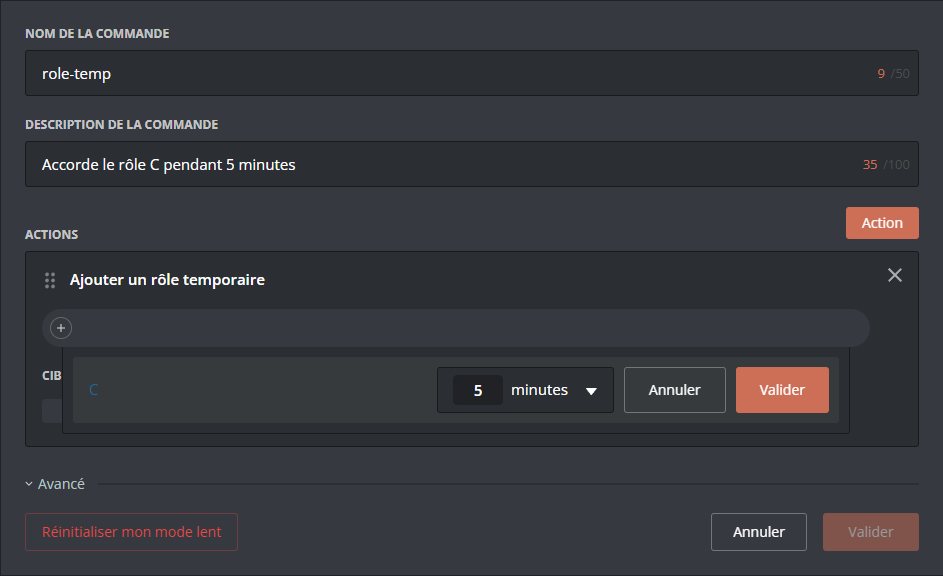
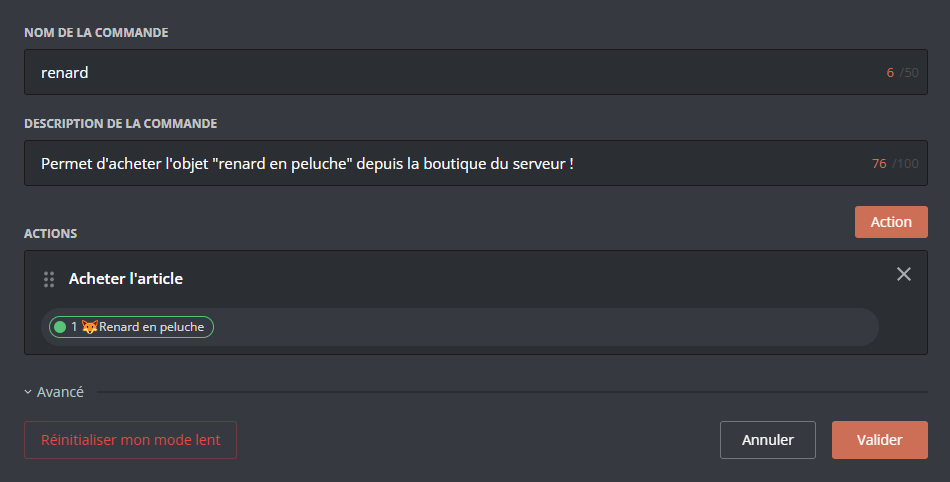
 Plush fox" appears in my inventory (and its price is deducted from my money)!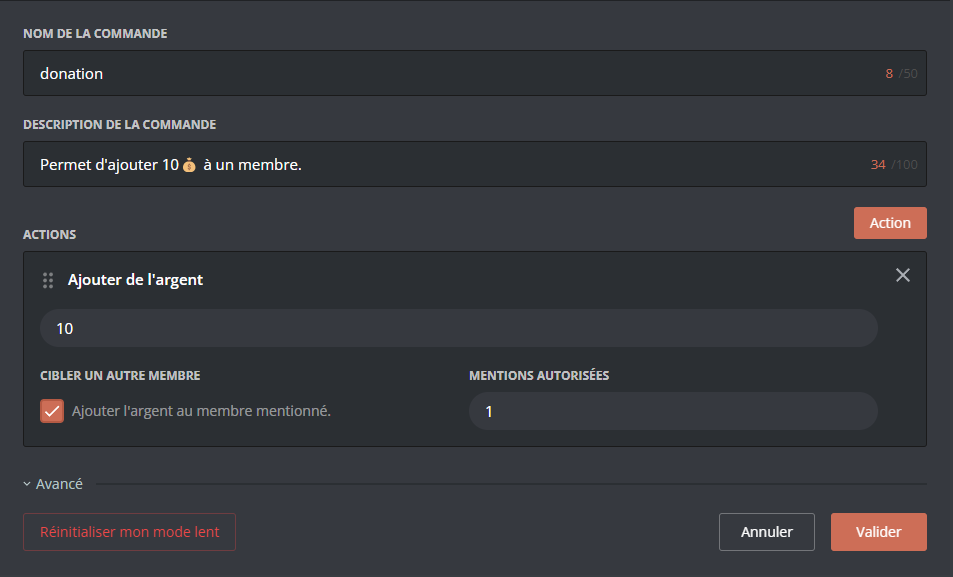
Advanced options
Where to find them?
From the Panel, you can bring up these options by clicking "Advanced", below your actions.
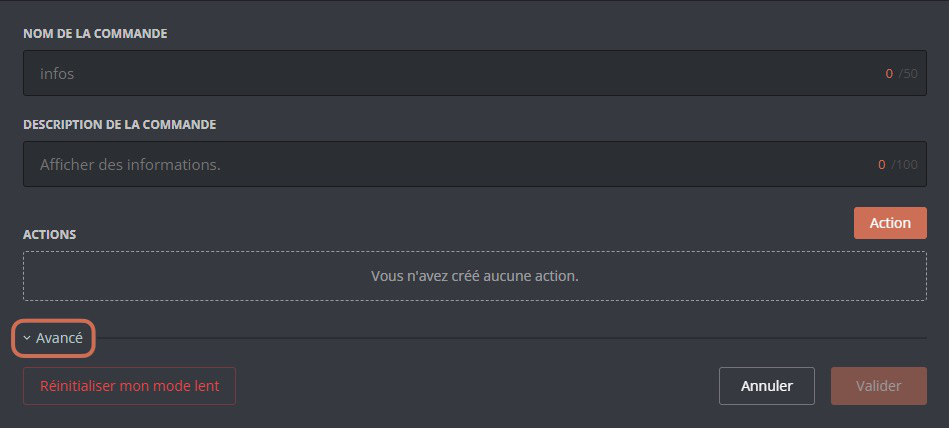
What do they do?
The advanced options fall into 4 categories:
Access to a command can be restricted by two criteria:
- Restrict by roles
You can reserve the use of a command for certain specific roles, or on the contrary forbid it only to certain specific roles.Users with the Administrator permission can use the command whatever the allowed or forbidden roles.
- Restrict by channels
In the same way, you can restrict the use of your command to certain specific channels, or forbid it in certain specific channels.To switch between the "allow" and "forbid" modes, click "ALLOWED/FORBIDDEN".
The active mode is written in white, while the other one is greyed out.
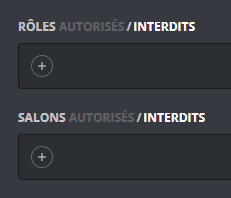
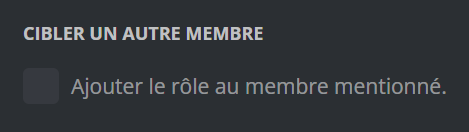
In this configuration, if I add roles/channels, they will not have access to the command.

Going further
Arguments
You can make the messages of your custom commands more personal and more relevant by using arguments!
An "argument" is a piece of information you give when using a command.
For example, in the command !compliment @DraftBot cool, @DraftBot is the first argument, and cool is the second one.
Here are the argument variables available with DraftBot:
| Variable | Description | Example |
|---|---|---|
{args.1} | First argument | @DraftBot |
{args.2} | Second argument | cool |
{args.N} | Nth argument (up to 20) | foo |
{args.1+} | Every argument from the first one | @DraftBot cool |
{args.2+} | Every argument from the second one | cool |
{args.all} | Every argument | @DraftBot cool |
{args.count} | Number of arguments | 2 |
Features:
- Support for modifiers:
{args.1?uppercase} - Default values:
{args.1:default=none} - Syntax consistent with the other variables
Variables
You can customize your message actions with variables:
| Variable | Description | Example |
|---|---|---|
{money} | Money | 1,234 |
{money.record} | Money record | 5,678 |
{money.currency_icon} | Currency icon |  |
{money.rank} | Position in the leaderboard | 3 |
{money.next_user} | Member above in the leaderboard | @DraftBot |
{money.next_user.id} | ID of the member above in the leaderboard | 318312854816161792 |
{money.next_user.money} | Amount of money of the member above in the leaderboard | 2,500 |
{money.next_user.money_diff} | Money difference with the member above in the leaderboard | 2,500 |
{money.to_position:position=N} | Money needed to reach position N in the leaderboard | 1,200 |
{level} | Level | 25 |
{level.rank} | Position in the leaderboard | 5 |
{level.next_user} | Member above in the leaderboard | @DraftBot |
{level.next_user.id} | ID of the member above in the leaderboard | 318312854816161792 |
{level.next_user.xp} | Amount of experience of the member above in the leaderboard | 2,500 |
{level.next_user.xp_diff} | Experience difference with the member above in the leaderboard | 15,389 |
{level.next_user.level} | Level of the member above in the leaderboard | 2,500 |
{level.next_user.level_diff} | Level difference with the member above in the leaderboard | 2 |
{xp} | Total experience | 12,500 |
{xp.current_level} | Experience of the current level | 250 |
{xp.next_level} | Experience needed to reach the next level | 750 |
{xp.to_level:level=N} | Experience needed to reach level N | 15,000 |
{xp.to_position:position=N} | Experience needed to reach position N in the leaderboard | 5,000 |
{birthday} | Birth date | 15 March |
{birthday.next} | Next birthday | In 2 months |
{age} | The user's age | 25 years old |
In addition to the other variables already available globally!

